Paste a picture into the chat
Pasting a screenshot or a logo into the chat used to do nothing at all. Now a picture can be pasted, dropped on the message box or added with the paperclip button. Send it on its own and you choose how it becomes SVG: redrawn as an illustration by the image model, or traced in your browser for free. Send it with a message and the assistant sees it, so you can ask for colours to match it or a logo like it. Traced pictures also keep far more of their detail than before.
People paste pictures into the chat: a screenshot of a logo, a sketch, something another tool made. Until now the message box ignored them, because a text box has nowhere to put an image. This update gives a picture somewhere to go, and two ways to become SVG.
Paste it, drop it, or attach it
Paste a picture into the message box, drop it there, or add it with the paperclip button next to the model menu. It waits above the message box until you send. An SVG file opens straight in the editor, the same as pasted SVG code. What happens next depends on whether you wrote anything.
On its own: redraw it or trace it
Send a picture without a message and you get one question, with the price of each answer on its button.
Redraw as an illustration sends the picture to the image model, which draws it again in flat colours, and the result is traced into SVG. This is the one for characters, scenes and photos: clean shapes that still look like your picture. It costs the image model's credits, 10 with gpt-image-1-mini and 30 with gpt-image-1.5.
Trace to SVG turns the picture into shapes directly, in your browser. It is free, works without an account, and copies the picture exactly. That means many small shapes, one for each patch of colour.
Either way you get the tracing sliders to adjust the result, and Accept puts the drawing in the editor. Reject puts the picture back in the message box, so you can try the other way.
The image model matters more here than anywhere else. We tried it on John Tenniel's illustration of Alice and the flamingo, from 1865.
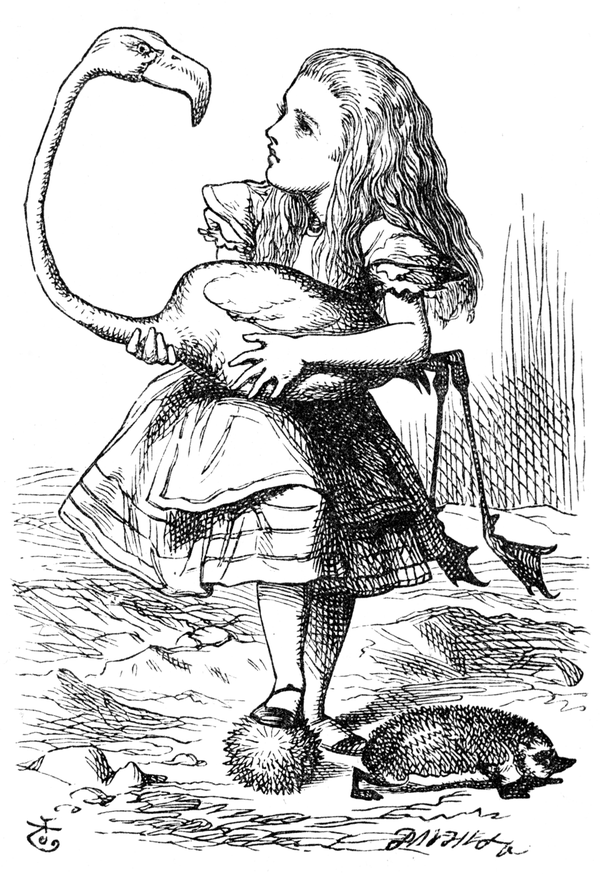 John Tenniel's Alice holding the flamingo, a black-and-white engraving with fine hatching.
gpt-image-1-mini redrew it as a different Alice in its own cartoon style. gpt-image-1.5 kept her face, her hair, the hedgehogs and Tenniel's own linework, and added colour:
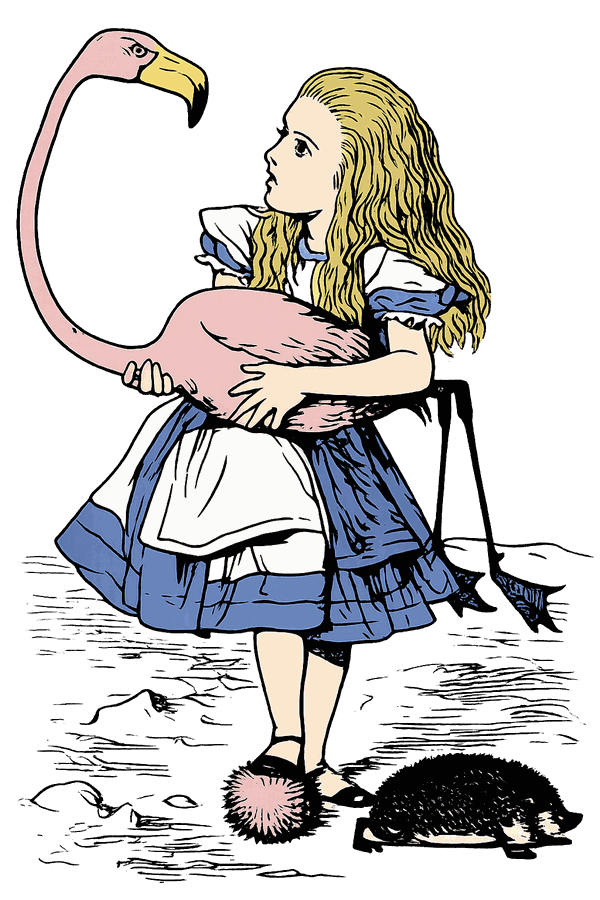 The same scene redrawn by gpt-image-1.5: Alice in a blue dress with a pink flamingo, still in Tenniel's style.
Traced, that picture is 1,638 shapes and about 470 KB of SVG, nearly indistinguishable from the picture it came from. Open the traced SVG to look at it closely.
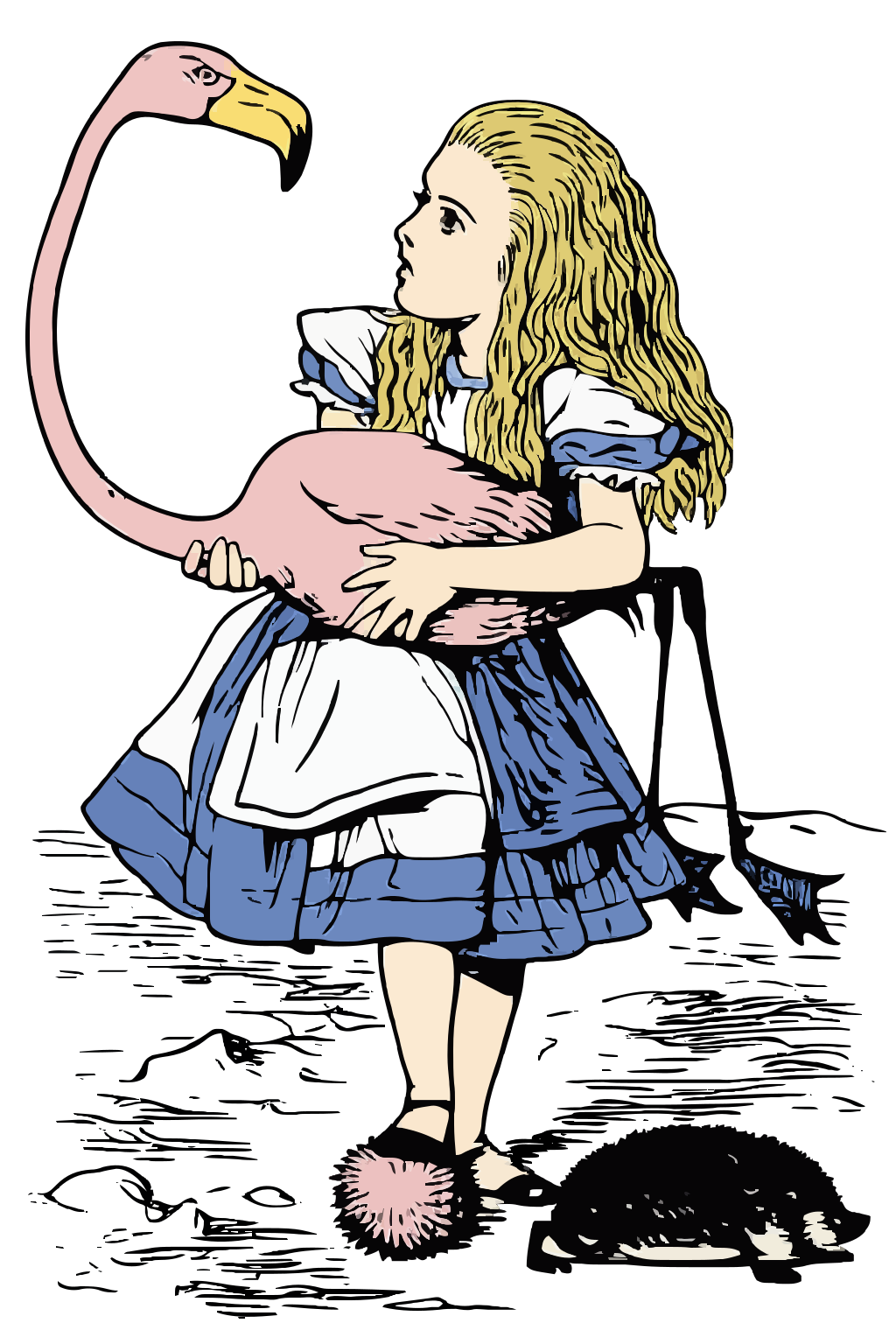
So when gpt-image-1-mini is selected, the question suggests gpt-image-1.5 for a closer likeness. It is one of the Pro image models.
With a message: the assistant sees it
Write something and the picture goes to the assistant with your words: "match the colours of this", "add this icon to the corner", "redraw this logo as a few clean shapes". For a simple logo or icon, that last one often gives the best result of all. The assistant writes a handful of shapes by hand instead of tracing hundreds.
Later messages show the same picture to the assistant again, until you attach another one. So "make it closer to the original" works, because the assistant knows what the original is. DeepSeek-V4-Flash and Kimi-K2.6 cannot see pictures; pick another model to send one.
A tracer that keeps the detail
While testing this we found that the tracer was throwing away much of what the image model drew. It dropped every patch smaller than 10 × 10 pixels and kept few shades of each colour. A detailed portrait came out as 43 shapes, with the ribs of the knitted hat and the strands of the beard gone.
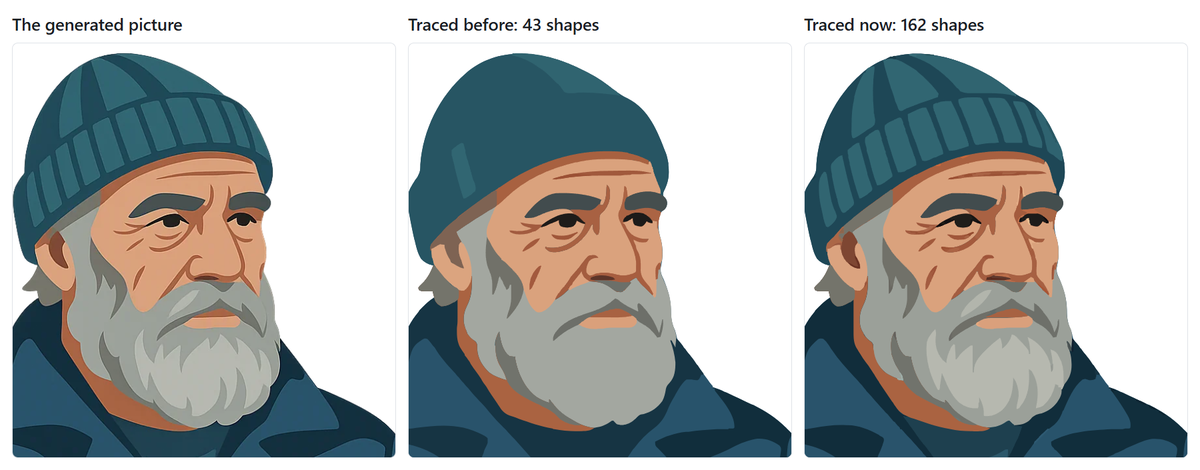 A generated portrait of an old fisherman, its trace before this update, and its trace now: before, the hat is one flat shape and the beard a grey block; now both match the picture.
The tracer now starts from the settings its authors chose as defaults. The same portrait keeps 162 shapes and is still only 68 KB. A very detailed picture would grow too big to save with the chat, so it is traced one step coarser, and the sliders open at the settings it ended up with. Pictures you generate get the same detail.
Outlines, or not
Generated pictures have always been asked for with bold outlines and two or three shades per colour, because that traces cleanly. We compared it with a lighter style on eight prompts, and most pictures looked better with the outlines. Not all of them, though, so the card that asks before a picture is made now has two small options. Bold outlines draws a dark outline round every shape; untick it and areas of colour meet edge to edge. More detail asks for as many shades and small details as the subject needs, instead of two or three tones per colour. They work independently, and the card remembers what you picked last.
What changed
Paste a picture into the message box, drop it there, or add it with the paperclip button next to the model menu. An SVG file opens in the editor, the same as pasted SVG code.
Sent on its own, a picture gets one question: redraw it as an illustration with the image model, or trace it to SVG in your browser, which is free and works without an account.
Sent with a message, the picture goes to the assistant with your words, and later messages show it again, so "make it closer to the original" has the original to compare with.
The card that asks before a picture is made has two options: Bold outlines, on by default as before, and More detail, for more shades and small details than two or three tones per colour.
The tracer keeps much more detail, such as fine lines, strands of hair and the ribs of a knitted hat. A very detailed picture is traced a little coarser so the drawing stays small enough to save, and the sliders open at the settings it used.
Changing a picture with the image model keeps what you did not ask to change, and keeps its proportions instead of squeezing it into a square. With gpt-image-1.5 and gpt-image-1 it also holds on to faces and small details.