Edit SVG from Claude and other AI apps
EditSvgCode is also an MCP server, so it can be added to Claude as a connector. Claude can then create, open and edit the drawings in your EditSvgCode account, show them to you in the chat, and generate pictures traced into SVG. Claude does the thinking; EditSvgCode keeps the drawing and changes only the part each edit addresses. The AI work runs on your Claude plan, so it uses none of your EditSvgCode credits: only generating pictures does.
https://editsvgcode.com/mcpOpens Claude's Add custom connector dialog with the name and address filled in. Claude warns that the connector was suggested by an external link; check that the address is editsvgcode.com, then press Continue.
Adding it to Claude
Connecting takes a minute and an EditSvgCode account, which is free.
- Press Add to Claude above. Or, in Claude, open Customize, then Connectors, press Add, choose Add custom connector, and paste
https://editsvgcode.com/mcp. - Check that the address is
https://editsvgcode.com/mcpand press Continue. - In the window that opens, sign in to EditSvgCode with Google, GitHub or Microsoft, and press Allow.
- Back in Claude, ask for a drawing, such as "draw a minimal fox logo as SVG", or ask to see your files.
What Claude can do with it
Claude can start a new drawing, or open one of yours by its name or link. Asked for your files, it shows your saved drawings in the chat, with a box to drop an SVG file from your computer into. That box is how a file gets in: files attached to the chat do not reach EditSvgCode.
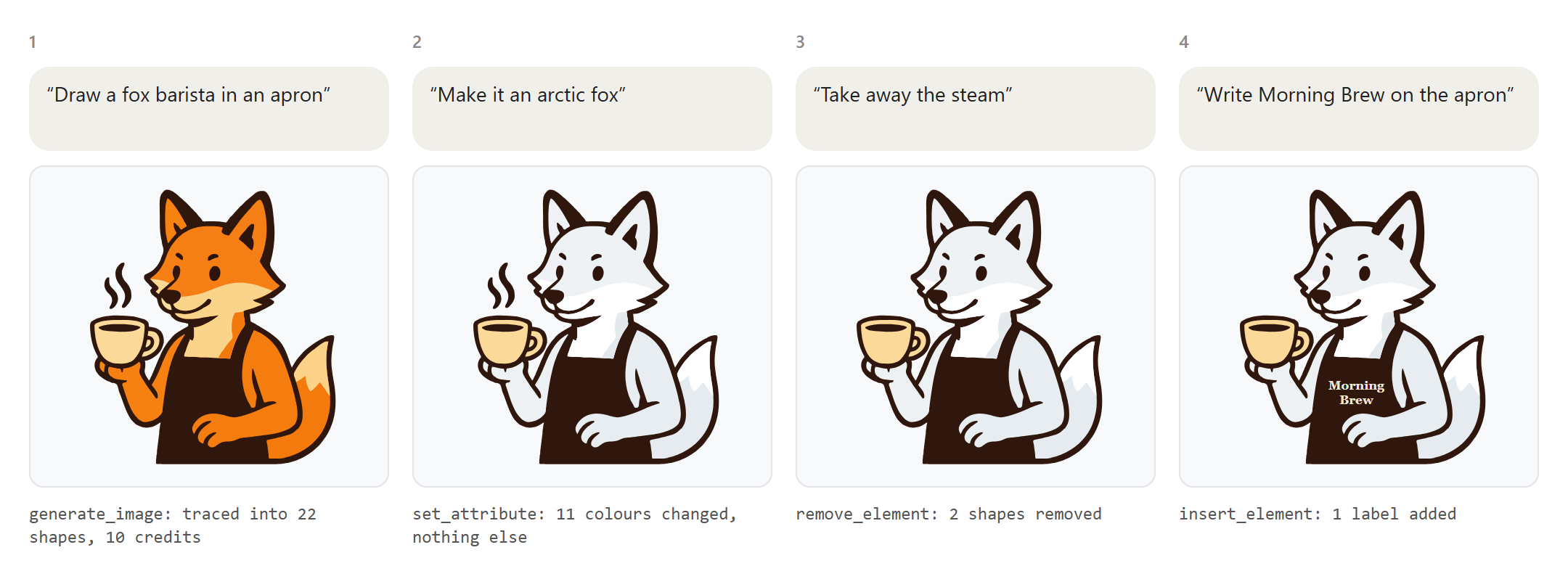
Each edit changes only what it addresses: a colour, a label, one shape, a rule in the style block. Coordinates, formatting and comments elsewhere stay as they were, and every change is saved to your account at once. Claude shows the drawing in the chat when it is made and after each round of changes, with its editor link, so you can carry on by hand in EditSvgCode at any point.
Pictures
Ask for an illustration, a character, an animal or a scene, and Claude puts a card in the chat with the prompt and its price. Nothing is made or charged until you press Generate. The image model paints the picture, your browser traces it into SVG, and it is saved as a new drawing. The same kind of card changes a picture, such as a pose, an expression or a detail, and keeps the original.
Pictures are paid for with your EditSvgCode credits: 10 with gpt-image-1-mini, the default. gpt-image-1.5 (30 credits) and gpt-image-1 (50 credits) need Pro. A free account gets 30 credits a month.
Other apps
The same address works in other apps that connect to MCP servers over the web and sign in to them. In Claude Code, run claude mcp add --transport http editsvgcode https://editsvgcode.com/mcp. In VS Code, add it as an HTTP server in the MCP settings. ChatGPT accepts it as a custom app only with developer mode turned on.
Apps that show no cards in the chat open the picture card in the EditSvgCode editor instead, charged to the same credits.
Good to know
- Claude's free plan allows one custom connector. On Team and Enterprise plans, an owner adds the connector for the organization first.
- Drawings Claude makes are private, saved to your account, and listed on the Files page. Sharing and publishing them is done in the editor.
- A drawing someone else shared can be opened by its link but not changed; Claude makes a copy of your own to edit.
- The conversation stays in Claude. The editor's own AI chat does not see it.
Questions
Does it cost anything?
Not in EditSvgCode credits, except for pictures. The conversation, and every edit Claude makes, runs on your Claude plan, where the assistant in the editor charges credits for each request. Only generating or changing a picture uses EditSvgCode credits, and its card shows the price before anything is charged.
What can Claude see in my account?
Your saved drawings and their titles, read when Claude asks for them. It cannot see your other account details or change your sharing settings. Removing the connector in Claude ends its access.
Why does Claude show a warning when I add it?
Claude warns about every connector that comes from a link instead of its own directory, so you can check where it leads. The address it shows should be editsvgcode.com.
What is MCP?
The Model Context Protocol, an open standard that lets AI apps use tools and data from other services. EditSvgCode's MCP server is at https://editsvgcode.com/mcp.