The assistant can look at your drawing
In a traced picture every shape is an unnamed path, so "make the hat red" had to be worked out from colours and coordinates, and the assistant could repaint the wrong brown. It can now look before it edits: your browser draws the picture with the shapes it suspects outlined in colour, and it changes the ones that sit on the part you named. Icons got a lot better too: they come in at a sensible size, an icon asked for on its own becomes the whole drawing, and brand logos are found rather than redrawn by hand.
EditSVGCode's assistant edits SVG by reading the code. That works well on a diagram, where shapes have ids and the text says what each part is. It works badly on a traced picture. A drawing that came out of an image generator is a few dozen paths with no names, and "make the hat red" has to be worked out from colours and coordinates alone. So we gave the assistant a way to look at the drawing. This is how that went, with the numbers, including the parts that did not work.
A picture with outlines
The new tool draws the current drawing as a PNG in your browser, 256, 512 or 1024 pixels on its long side, and hands it to the model. The model can outline up to four shapes it suspects, each in its own colour (magenta, cyan, green and blue), with everything else faded, and it can crop to one region to see it closer. With the picture comes a line of text for each outline: which element it is, the line of the file it starts on, its colour and where it sits.
Which models can look
Only models that can see images get the tool, so DeepSeek-V4-Flash and Kimi-K2.6 work as before. A turn keeps its two newest pictures and drops older ones, so looking several times does not make the conversation balloon, and pictures are not stored with the chat. A request costs its usual credits however many times the assistant looks.
The first measurement was humbling
We keep a set of edit tests that run through the real chat loop with real models, and grade them automatically: a recolour must change exactly the shapes it should, and nothing else. On the first run with the new tool, looking made almost no difference. The improvements we did see came from bugs the runs turned up along the way:
- Some models sent their edits in a slightly different shape from the one the tools expected, and those edits were dropped.
- Qwen sends tool arguments as JSON inside a string. Nearly every look failed until the tool read that form too.
- Models mixed up "the element on line 9" with "the ninth path", which are rarely the same element. Shapes can now be addressed by their line, so there is nothing to convert.
The picture is not magic. It helps when the answer is in the pixels, such as which of two brown shapes is the hat, and it does little when the model has already made up its mind from the code.
Before and after, on today's build
With those fixes in, we ran the same eight requests on gpt-5.4-mini and Qwen 3.8 Flash twice: once as shipped, and once with the picture tool switched off, everything else the same. Looking won on four of them, and these are the clearest.
"Make the coat dark green." A traced raccoon in a brown coat, with brown in its hat, ears, tail and magnifying glass too. Without looking, gpt-5.4-mini painted part of the coat and the raccoon's brow, and Qwen painted nearly every brown shape in the drawing. After looking, both painted the coat.
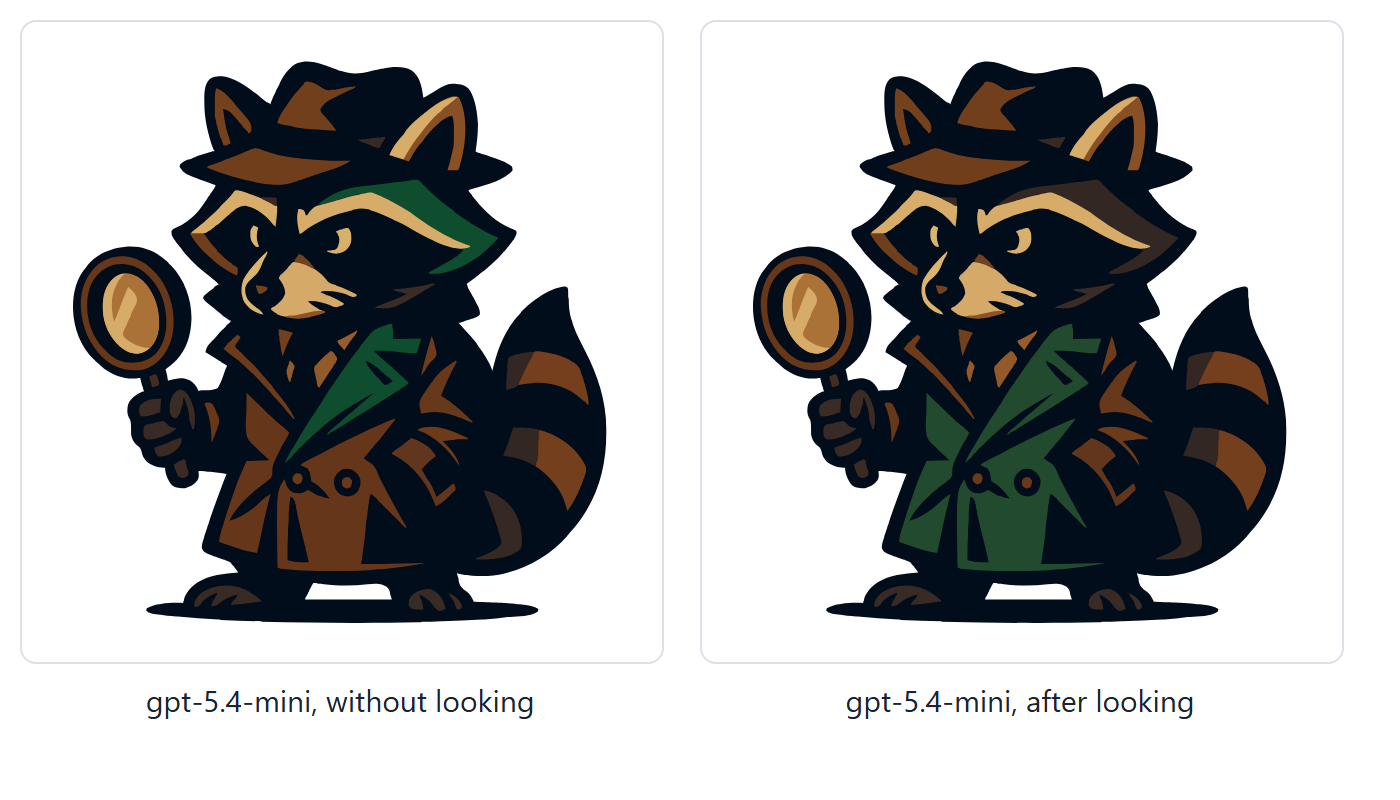 gpt-5.4-mini asked to make the coat dark green: without looking, part of the coat and the brow turned green; after looking, the coat.
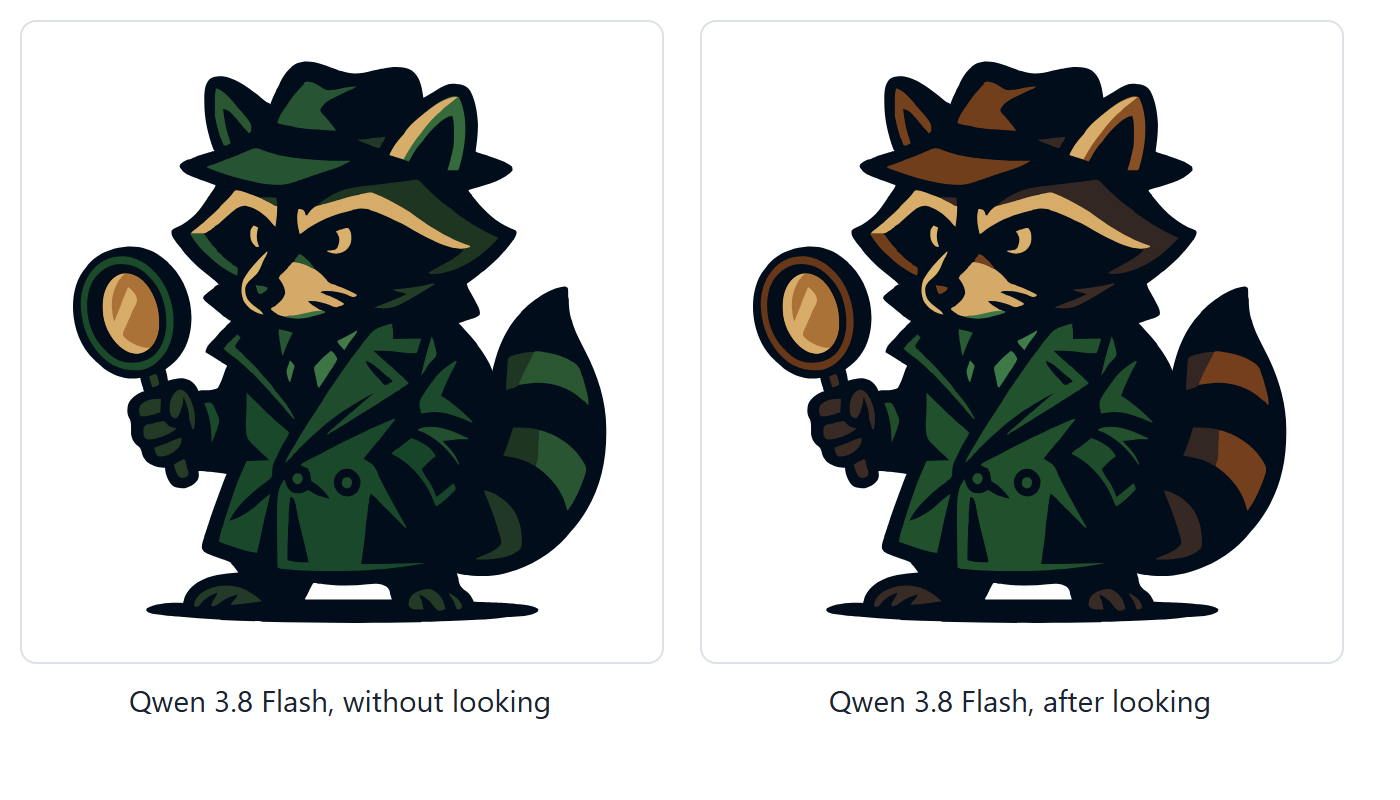 Qwen 3.8 Flash asked the same: without looking, the hat, ears, tail and magnifying glass turned green with the coat; after looking, only the coat.
"Add a title that tells screen readers what this drawing shows." The drawing is the EditSVGCode logo.
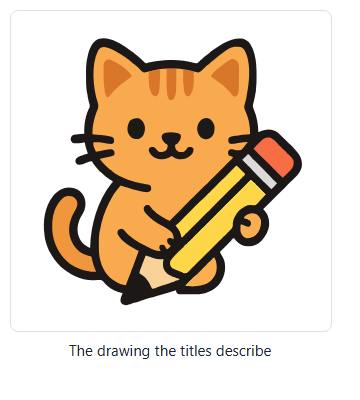 The EditSVGCode logo: an orange cat sitting with a big yellow pencil.
| Without looking | After looking | |
|---|---|---|
| gpt-5.4-mini | "A colorful abstract animal face illustration" | "Orange cat holding a pencil" |
| Qwen 3.8 Flash | "Cartoon lion head: a friendly lion face with a fluffy orange mane, two pointed ears…" | "Cartoon illustration of a smiling orange tabby cat… holding a large yellow pencil" |
A title nobody can check is worse than none, and from the code alone neither model could tell what the shapes add up to.
"Make the light brown stripes on the raccoon's tail grey. Keep the dark ones." Without looking, Qwen measured two shapes and then changed nothing. After looking, it found the light stripes and left the dark ones as they were.
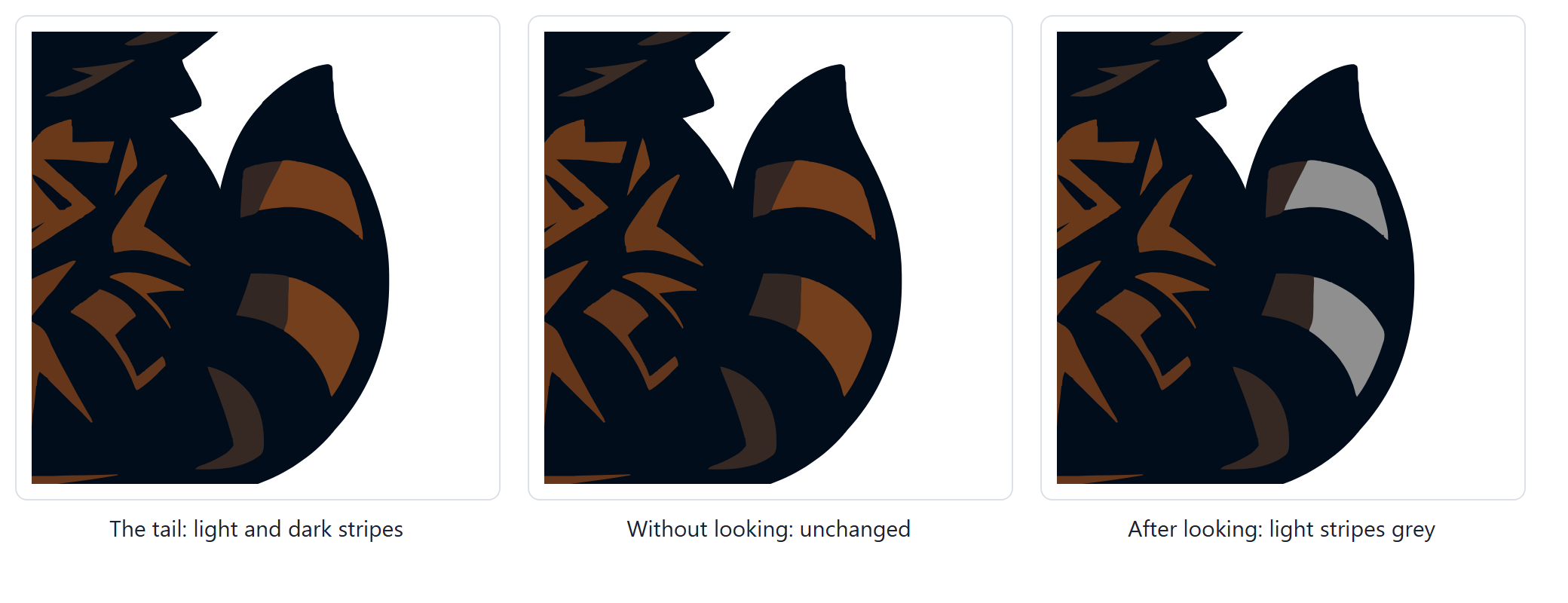 The raccoon's tail close up: the original with light and dark stripes; without looking, unchanged; after looking, the light stripes are grey and the dark ones untouched.
"Make the mug green." The mug is a lit side, a shaded side, a handle and a light rim. Without looking, Qwen missed the rim. After looking, the whole mug changed, and the book beside it, in the same orange, did not.
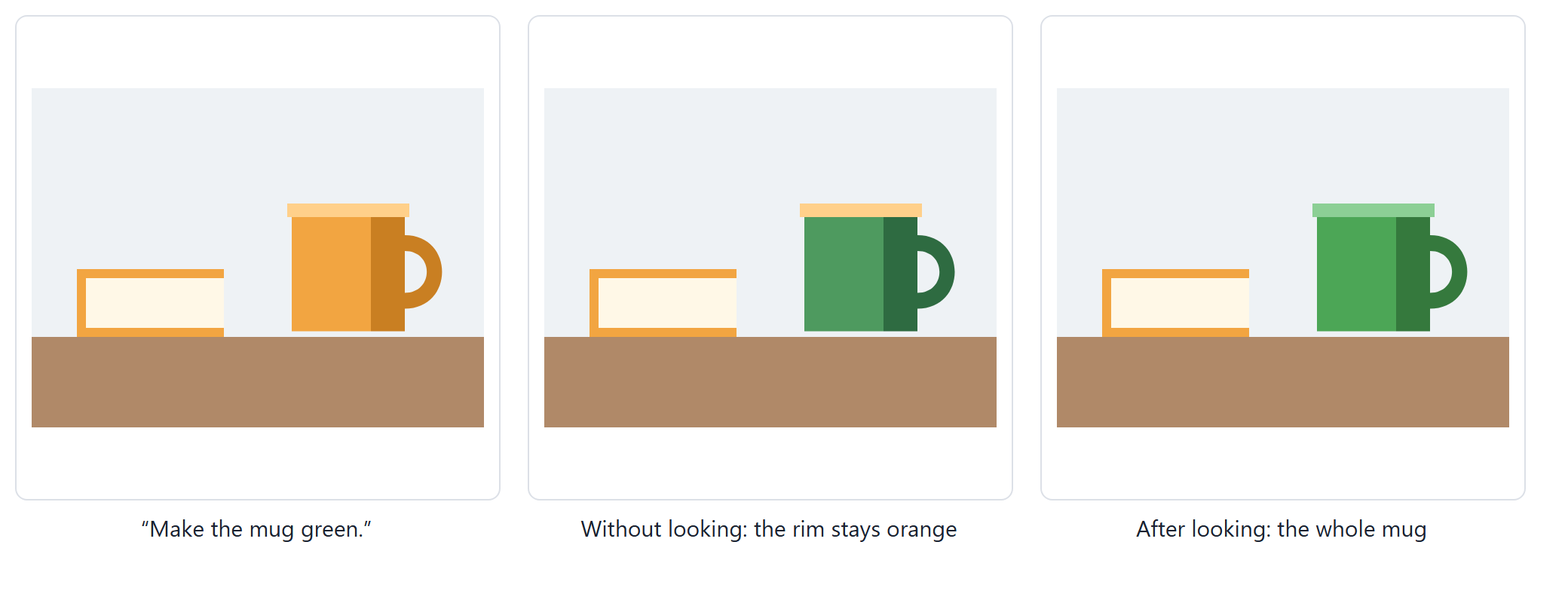 A mug beside a book of the same orange: without looking, the mug turned green but its rim stayed orange; after looking, the whole mug including the rim is green, and the book is unchanged.
On the other four requests looking made no difference, and once it made things worse: asked to make the mountains slate blue, Qwen looked, and recoloured the shore along with them. One run per request is a small sample, so read this as examples rather than a score.
Icons that fit
Asking for an icon was the other weak spot, so we wrote seven icon tests: a heart in a corner, a brand logo, an icon beside a title, an icon inside a box, and an icon asked for as the whole drawing. Each is graded on the rendered picture: the icon has to come from the library, sit where it was asked, and be a sensible size for its surroundings. The code we started from passed none of the eight runs we tried. Three things were wrong.
- Brand logos went missing. Asked for a logo in a style, filled or outline, the search looked only in the icon sets of that style, which hold just the best-known brands. Now a style is a preference: when its sets have nothing, the search runs across all of them.
- The icon service stopped answering. Each search downloaded 31 files, one per icon, and two or three searches were enough for the service to refuse every download for minutes. The model, told the icons had failed, drew a look-alike by hand. Icons now come from at most eight sets, with one download per set: 5 to 9 requests a search instead of 31.
- Sizes were wrong. Told to "adjust the size", models kept icons near their own 24-unit box. Given the exact scale and position, they still got the arithmetic wrong in about half the runs: a heart 34 units wide where 100 was meant, a rocket 83 wide inside a 64-unit box. Now the picked icon is handed over as its own
<svg>tag withx,y,widthandheight. The model picks a box in the drawing's units and the icon scales itself to fill it. On an empty canvas, or the editor's untouched starter drawing, the box already fills the canvas.
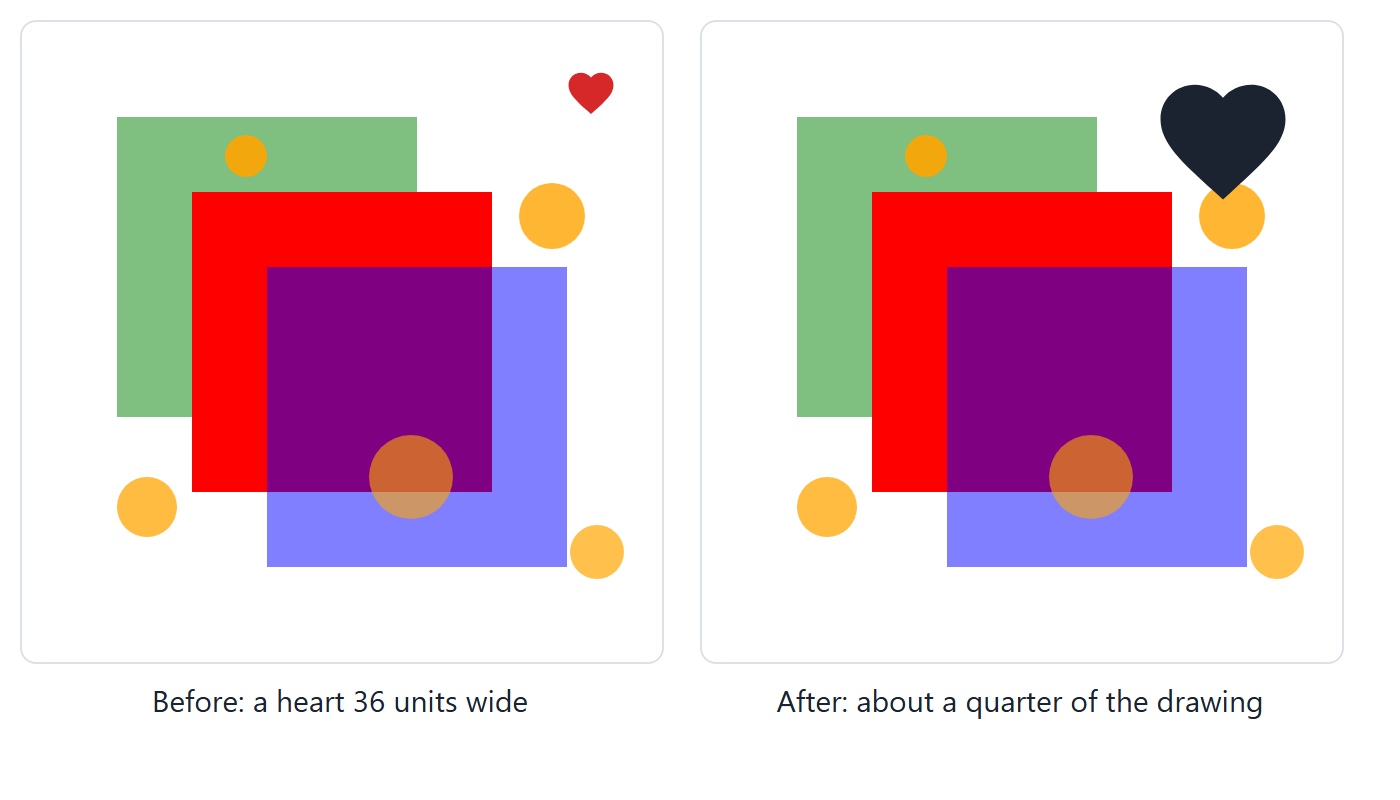 Asked for a heart in the top right corner: before, a small heart 36 units wide; after, a heart about a quarter of the drawing's width.
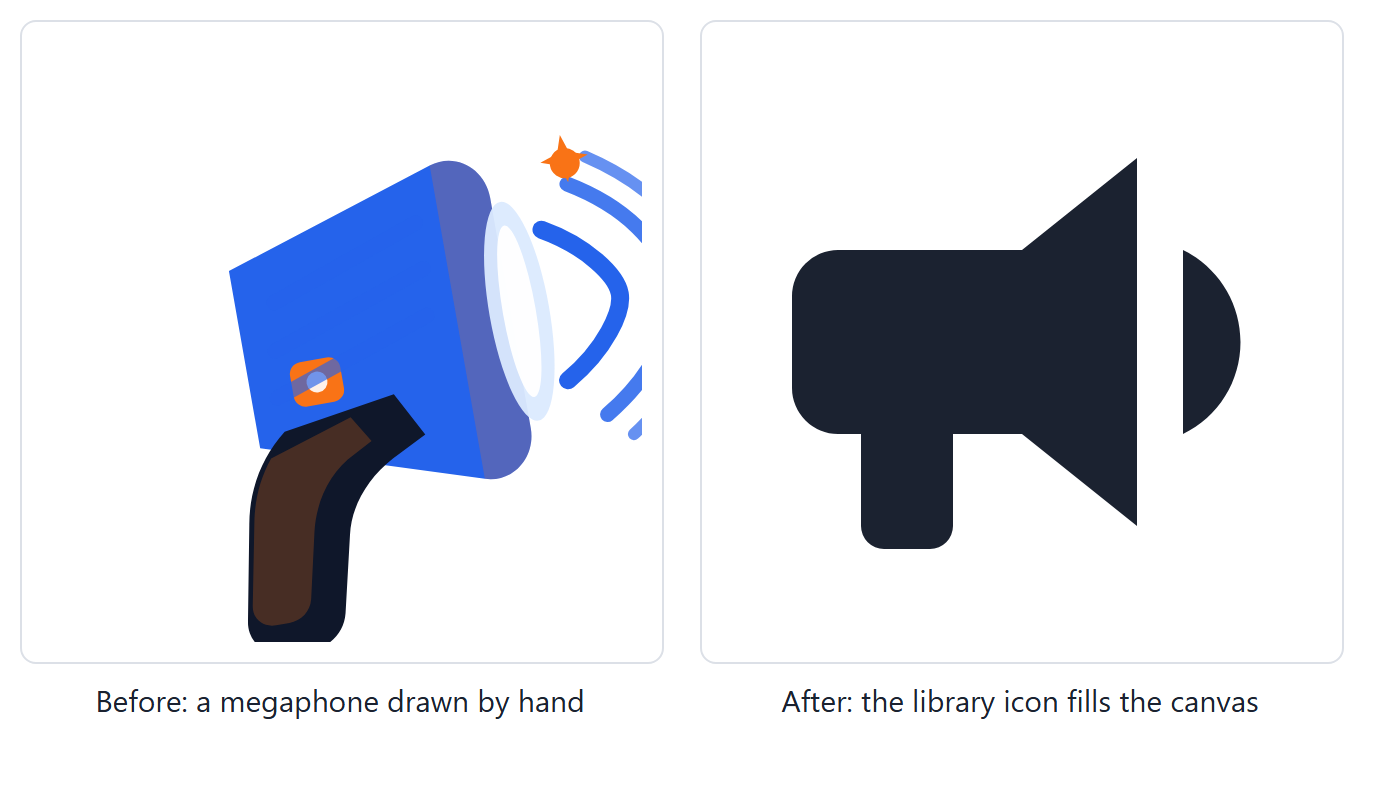 Asked to create a megaphone icon: before, a megaphone drawn by hand; after, a megaphone from the icon library filling the canvas.
Over four rounds of changes, gpt-5.4-mini went from 13 to 19 of 21 runs, and Qwen 3.8 Flash from 10 of 21 to 29 of 35.
Why Qwen kept asking what to do
Qwen 3.8 Flash is the cheapest model we offer, and too often it answered a clear request with "it looks like your message came through with just the SVG — what would you like changed?". Its reasoning showed what happened:
The user wants a megaphone/loudspeaker icon. This is a "recognizable existing object/icon" — intent #2: search_icons first. Wait, but the user didn't explicitly ask… the "user" turn contains the SVG document. There's no explicit request text.
It read the request, then talked itself out of it. The editor sends the drawing as a message of its own, just before the request, and somewhere on its way to Qwen the drawing came to look like the user's turn. Rewording the instructions did not help; every change near the top of the prompt made Qwen lose more requests, not fewer. So we sent the same first request straight to the model, laid out five different ways, and counted the first replies that took no action.
| How the request is laid out | Replies that took no action |
|---|---|
| As the editor sent it: the drawing, then the request | 47 of 93 |
| The drawing inside the instructions | 8 of 42 |
| One message: the drawing, then the request | 8 of 18 |
| The drawing labelled as context, not a message | 6 of 18 |
| One message: the request, then the drawing | 0 of 89 |
Qwen now gets the request first, with the drawing after it in the same message. The other models keep the layout they handle well. On our regular edit tests, recolouring and rewording drawings, Qwen went from 11 to 15 passes of 17 after this round of changes.
Parts drawn in several shades
The magnifying glass in our raccoon detective drawing became a test of its own. Its lens is two shapes, an amber body and a light crescent on it. Asked to make the glass light blue, gpt-5.4-mini looks at the picture, outlines both shapes, and then decides that the amber body is "a reflection of the object behind it". It recolours the crescent and leaves most of the lens brown, run after run. Qwen recolours the whole lens.
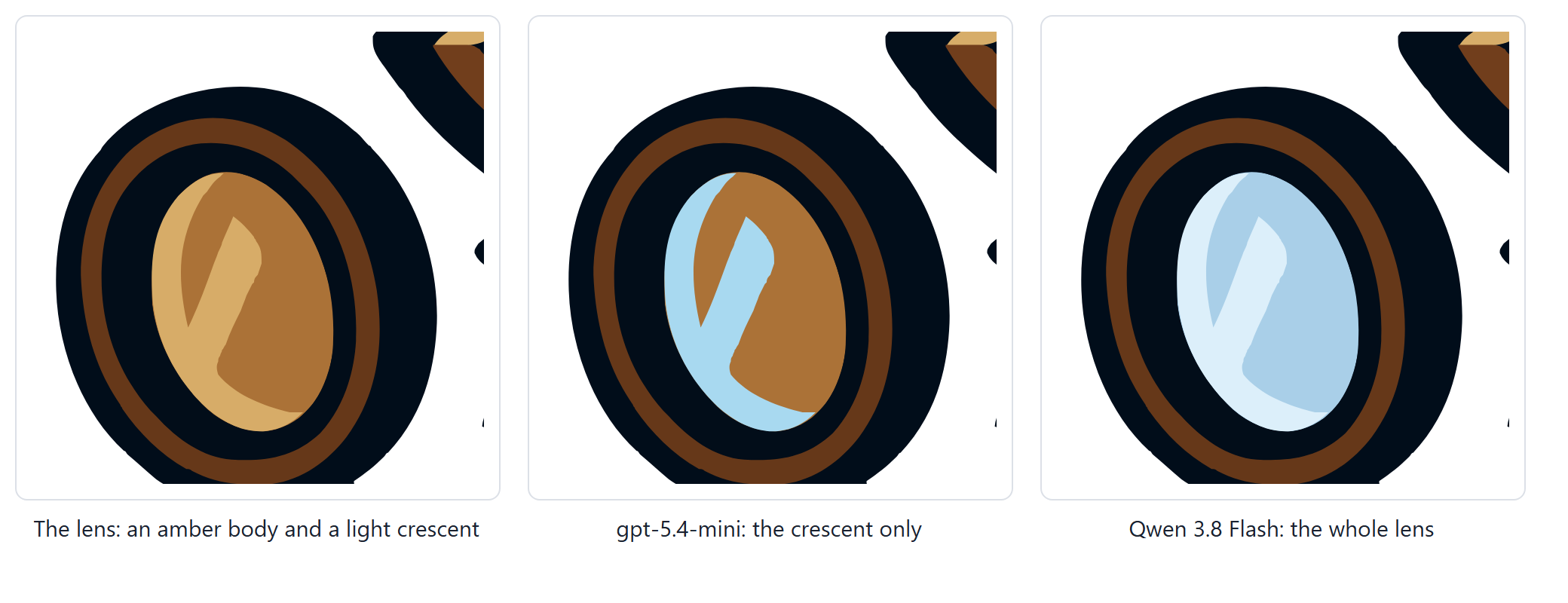 The lens close up: the original, amber with a light crescent; gpt-5.4-mini's result, with only the crescent light blue; Qwen 3.8 Flash's result, the whole lens light blue.
Looking into it turned up a bug of ours. When the model cropped close to the lens, the text that came with the picture called the lens body "a base layer, covering 64% of the drawing". It measured the shape against the cropped view rather than the whole drawing: the lens is about 1% of the drawing. The assistant is told never to recolour a base layer, so it left the lens alone. That is fixed.
Was the lens one hard picture, or a pattern? We drew three test pictures of our own, each with one part in several shades and a decoy of the same colour beside it.
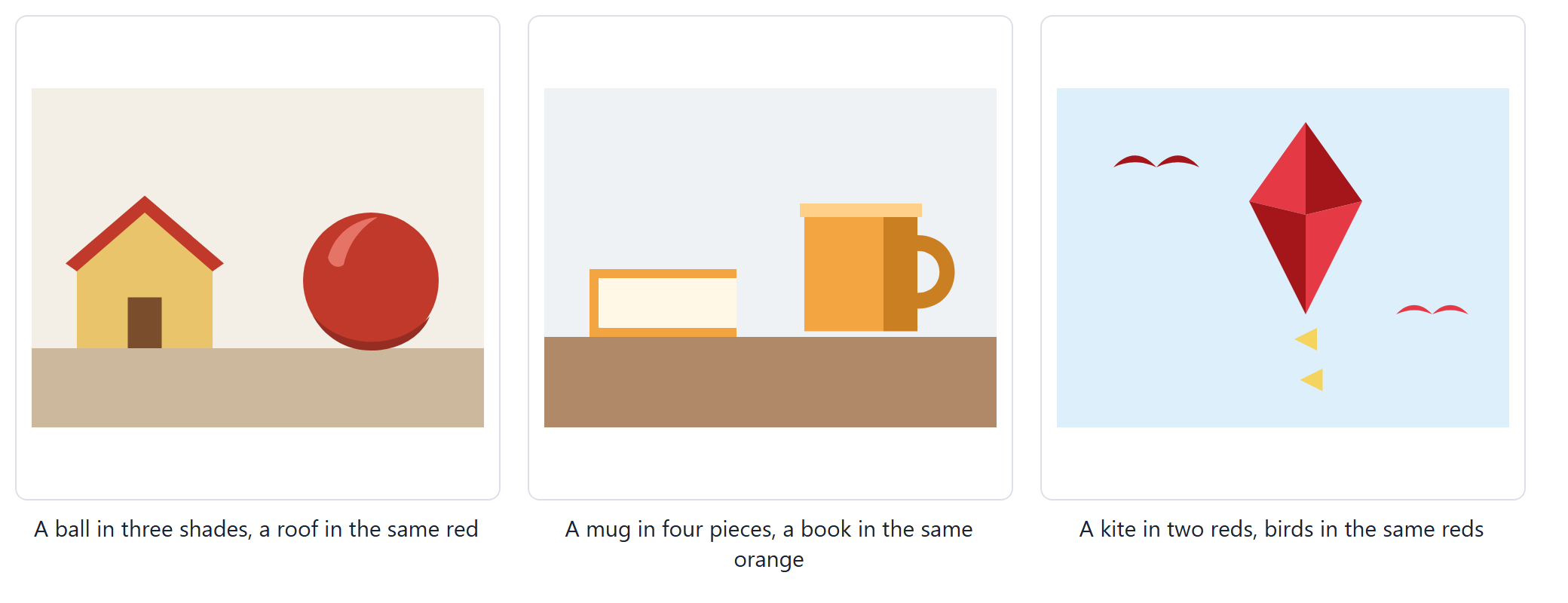 Three test drawings: a red ball with a highlight and a shadow, next to a house with a roof of the same red; an orange mug with a shaded side, a handle and a rim, next to a book of the same orange; a kite in two reds, next to birds in the same two reds.
It was a pattern. In all three runs, gpt-5.4-mini recoloured the ball's body and left its highlight and shadow red.
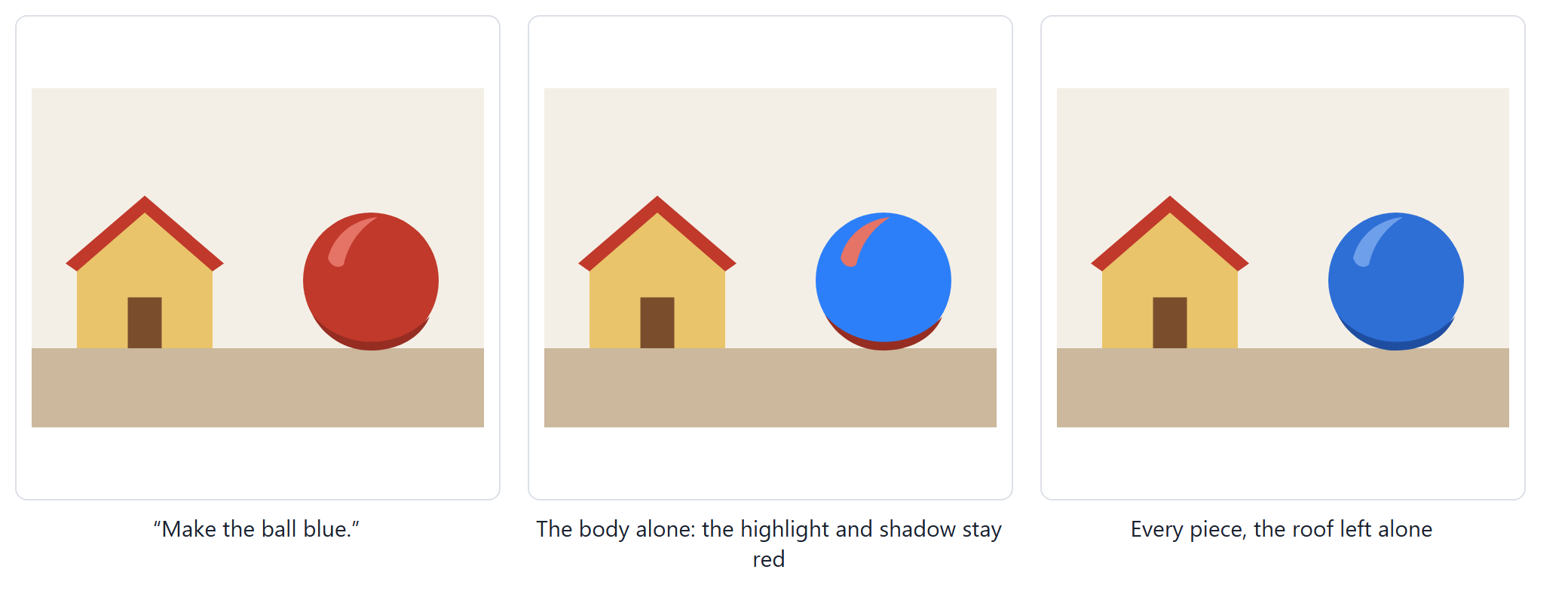 Asked to make the ball blue: gpt-5.4-mini recoloured only the body, so the highlight and the shadow stayed red; the better result changed every piece of the ball and left the red roof alone.
One sentence in the instructions says that a part is often several pieces in different shades, and that everything inside the part's outline belongs to it. Over the same cases, with three runs each, that took gpt-5.4-mini from 3 to 6 passes of 15 and Qwen from 7 of 13 to 11 of 15, with no lost requests. The lens and the raccoon's hat are still hard: the hat's own colour is two small pieces, and both models keep adding the ears and the dark mask around the eyes, which sit right against it. Three runs per case is a small sample, so we read these numbers as a direction rather than a measurement.
What we took away
- Grade automatically, on the rendered picture where it matters. Our early icon tests were "graded by eye", and they let through results we would not ship.
- One run is not evidence. A single round once said a change had hurt gpt-5.4-mini; three rounds of the same cases said it had not.
- Test every prompt change against the weakest model you offer. Qwen lost requests over a short rewording near the top of the instructions that the larger model did not notice.
- Small models are poor at arithmetic. Hand them a box to fill, not a transform to work out.
- How a request is laid out can matter more than how it is worded.
You can try it in the editor: open a traced picture and ask for one part in a new colour, or ask for an icon and see where it lands. The kite on the feature page is a quick place to start.
What changed
When the code does not say which unnamed shape is the part you mean, the assistant can look at the drawing: it outlines up to four shapes it suspects, each in its own colour, and edits the ones that sit on that part.
An edit that leaves the drawing looking empty, such as white lettering left on a white page after the box behind it was removed, now says "Applied, but the drawing may look empty".
A picked icon comes in at a sensible size: about a quarter of the drawing in a corner, the height of the text beside a title, and within the shape it was put in.
Asked for an icon on an empty canvas or on the starter drawing, the assistant makes the icon the whole drawing.
Brand logos are found even when the search is narrowed to one icon style, so the assistant offers the real logo instead of drawing a look-alike.
Icon searches ask the icon library for far fewer files, so several searches in a row no longer leave the icons failing to load.
A part drawn in several shades, such as a ball with a highlight and a shadow, is more often recoloured as a whole.
Qwen 3.8 Flash now acts on requests it often answered with a question about what to change.
Requests to the Qwen models no longer fail with an error.